
About the Author
Syed Fahad Ali is the Founder & CEO of InnoFeature Labs, a software development company that helps businesses build custom web applications, mobile apps, AI-powered solutions, business automation systems, and scalable digital platforms.
With hands-on experience in software architecture, product development, and digital transformation, he works closely with startups, SMEs, and enterprises to solve real business challenges through technology. His expertise includes custom software development, CRM and ERP solutions, AI integration, cloud technologies, and modern web development.
Through the InnoFeature Labs Tech Reader, Syed shares practical, research-backed insights on software development, artificial intelligence, cybersecurity, cloud computing, and emerging technologies, helping business leaders make informed technology decisions.
9 min read
Introduction
Running a business today is no longer just about managing sales or keeping track of finances. As companies grow, they need software that can organize customer information, streamline operations, and improve decision-making. Two of the most common business software solutions are Customer Relationship Management (CRM) and Enterprise Resource Planning (ERP) systems.
Complete Software Development Guide
Although these terms are often mentioned together, they solve different business problems. A CRM helps businesses build stronger customer relationships, manage sales pipelines, and improve customer service. An ERP, on the other hand, focuses on internal operations such as finance, inventory, purchasing, human resources, and resource planning. Growing businesses often benefit from both systems working together because they connect customer-facing activities with day-to-day business operations.
Choosing the wrong solution can lead to unnecessary costs, disconnected data, and inefficient workflows. That's why understanding the difference between ERP and CRM is an important first step before investing in any business management software.
If you're planning a digital transformation or considering a custom software solution, it's also worth understanding the complete software development process before selecting the right platform for your business.
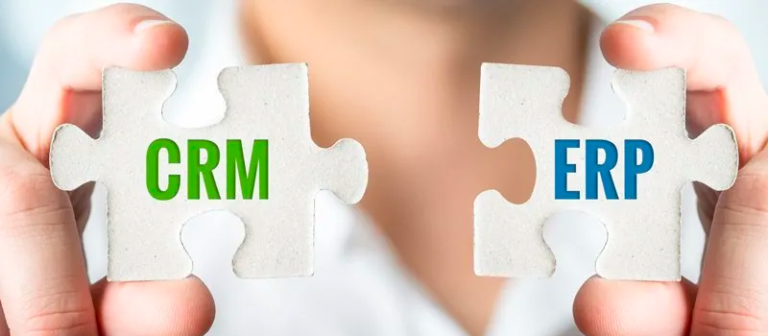
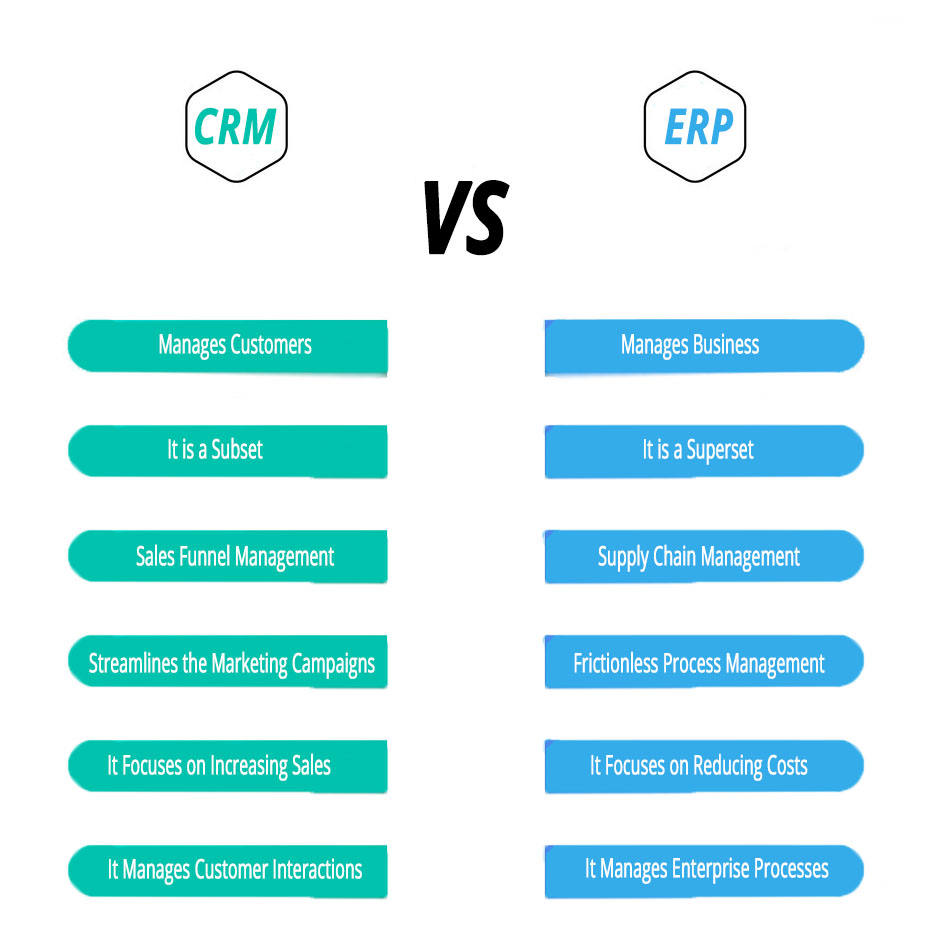
ERP vs CRM overview showing customer management and business operations
What Is CRM?
Customer Relationship Management (CRM) is software designed to help businesses manage interactions with current and potential customers. Instead of storing customer information across spreadsheets, emails, and multiple tools, a CRM centralizes everything in one place, making it easier for sales, marketing, and customer support teams to work together.
A modern CRM system typically helps businesses:
- Manage leads and customer contacts
- Track sales opportunities and pipelines
- Automate follow-up emails and reminders
- Monitor customer interactions
- Improve customer support
- Generate sales reports and forecasts
For growing businesses, a CRM provides better visibility into the sales process and helps teams build stronger customer relationships while reducing manual work.
| Feature | Business Benefit |
|---|---|
| Contact Management | Store customer information in one place |
| Lead Management | Track potential customers from inquiry to conversion |
| Sales Pipeline | Monitor deals and sales progress |
| Marketing Automation | Automate campaigns and follow-ups |
| Customer Support | Resolve issues faster with complete customer history |
| Analytics & Reporting | Measure sales performance and customer trends |
Many small and medium-sized businesses adopt a CRM before investing in an ERP because improving customer acquisition and sales management often delivers faster business results.
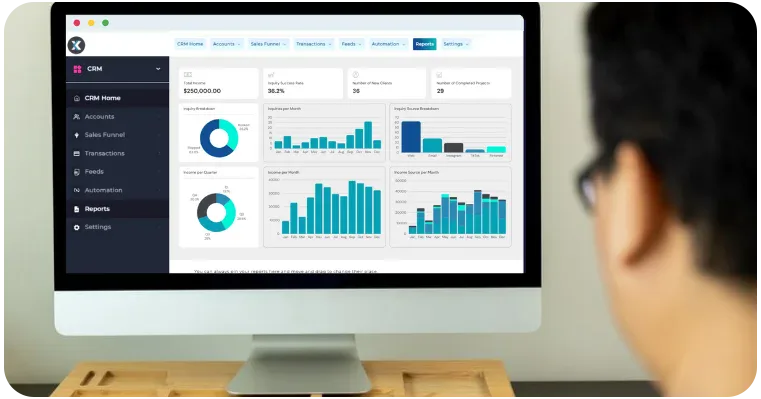
Customer relationship management dashboard for sales and lead management
What Is ERP?
Enterprise Resource Planning (ERP) is business management software that connects an organization's core operations into a single integrated system. Rather than focusing on customer interactions, ERP helps businesses manage finance, inventory, procurement, production, human resources, purchasing, and other internal processes from one platform.
As businesses grow, managing different departments with separate software can create data silos and reduce productivity. An ERP system solves this problem by providing a single source of truth for operational data, allowing departments to share accurate information in real time.
A typical ERP solution may include:
- Financial management
- Inventory management
- Procurement
- Supply chain management
- Human Resources (HR)
- Project management
- Manufacturing
- Business reporting
For companies with multiple departments or complex workflows, ERP improves operational efficiency, reduces duplicate work, and supports better decision-making through centralized data. Modern cloud-based ERP systems also integrate with CRM platforms, enabling businesses to connect customer-facing activities with back-office operations.
| Module | Purpose |
|---|---|
| Finance & Accounting | Manage budgets, invoices, and financial reporting |
| Inventory Management | Track stock levels and warehouse operations |
| Procurement | Manage suppliers and purchasing |
| Human Resources | Employee records and payroll |
| Supply Chain | Optimize logistics and order fulfillment |
| Project Management | Plan and monitor business projects |
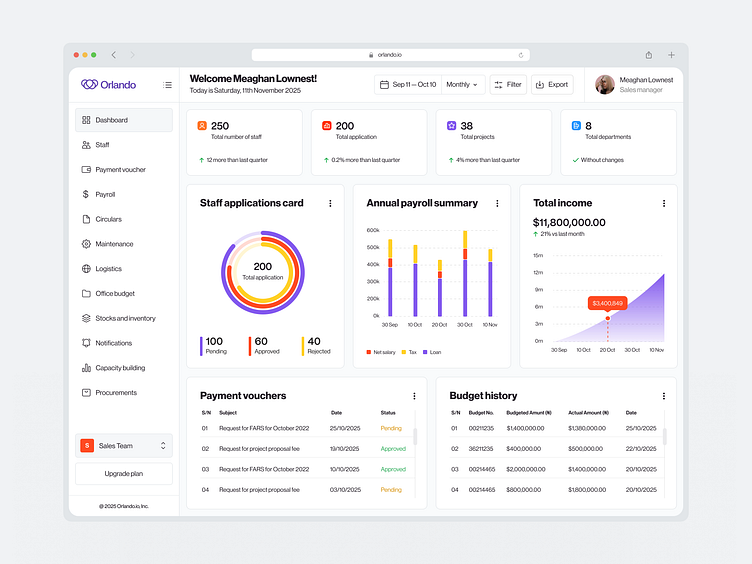
ERP vs CRM: Key Differences
Although both ERP and CRM help businesses improve efficiency, they serve different purposes. A CRM is designed to manage customer relationships, sales activities, and marketing efforts, while an ERP focuses on streamlining internal operations such as finance, inventory, procurement, and human resources. The best choice depends on your current business priorities, company size, and long-term growth plans.
Think of it this way:
- CRM helps you win and retain customers.
- ERP helps you deliver products or services efficiently after the sale.
Many growing businesses start with a CRM to organize sales and customer communication. As operations become more complex, they often add an ERP to centralize financial and operational data. Businesses with multiple departments, warehouses, or large teams frequently benefit from integrating both systems.
| Feature | CRM | ERP |
|---|---|---|
| Primary Purpose | Manage customers, leads, and sales | Manage business operations and resources |
| Main Users | Sales, Marketing, Customer Support | Finance, HR, Operations, Inventory Teams |
| Focus Area | Customer-facing activities | Internal business processes |
| Key Modules | Lead Management, Sales Pipeline, Marketing Automation | Finance, Inventory, Procurement, HR, Supply Chain |
| Business Goal | Increase revenue and customer satisfaction | Improve operational efficiency and productivity |
| Best For | Startups, SMEs, sales-driven businesses | Growing businesses with complex operations |
| Implementation Time | Usually faster | Usually longer due to business-wide integration |
| ROI Timeline | Faster sales improvements | Long-term operational improvements |
CRM Pros and Cons
Advantages
- Improves customer relationships
- Organizes leads and sales pipelines
- Automates follow-ups
- Increases sales team productivity
- Provides better customer insights
- Supports marketing automation
Limitations
- Doesn't manage inventory or finance
- Limited operational management
- May require integration with other systems as the business grows
ERP Pros and Cons
Advantages
- Centralizes business operations
- Improves financial visibility
- Reduces manual work
- Enhances inventory and supply chain management
- Supports business scalability
- Improves reporting and compliance
Limitations
- Higher implementation cost
- Longer deployment time
- Requires employee training
- More suitable when operational complexity increases
CRM vs ERP: Which One Should You Choose?
The answer depends on your business goals.
Choose a CRM if:
- Your main challenge is generating more sales.
- You want to manage leads more effectively.
- Your sales team needs better visibility into the sales pipeline.
- Customer communication is scattered across emails and spreadsheets.
- You want to improve customer retention and service.
Choose an ERP if:
- You manage inventory across multiple locations.
- Your finance and operations teams use separate systems.
- Manual processes are slowing down business growth.
- You need centralized reporting across departments.
- Your business is expanding rapidly.
Choose Both if:
If your company has growing sales and increasingly complex operations, using both CRM and ERP together often provides the greatest value. Integrating these systems allows customer information, orders, invoices, inventory, and operational data to flow seamlessly between departments, reducing duplicate work and improving decision-making.
Quick Decision Guide
| Your Situation | Recommended Solution |
|---|---|
| Small business focused on sales growth | CRM |
| Company managing inventory and finance | ERP |
| Business with multiple departments | ERP |
| Startup building customer relationships | CRM |
| Scaling company with sales and operations challenges | CRM + ERP |
| Business seeking complete digital transformation | Custom ERP & CRM Solution |
ERP vs CRM comparison table showing key differences between customer management and business operations software
Can You Use ERP and CRM Together?
Yes. In fact, many growing businesses achieve the best results by using ERP and CRM together. Rather than replacing each other, these systems perform different roles and become more powerful when integrated.
A CRM manages customer relationships, sales opportunities, and marketing activities, while an ERP handles finance, inventory, procurement, and operational workflows. When both systems share data, every department works from the same source of truth, reducing manual data entry and improving collaboration.
For example:
- A sales representative closes a deal in the CRM.
- The order is automatically sent to the ERP.
- Finance generates the invoice.
- Inventory is updated in real time.
- Customer support can instantly view order and delivery status.
This connected workflow helps businesses improve efficiency, reduce errors, and provide a better customer experience.
Benefits of Integrating ERP and CRM
Businesses that integrate ERP and CRM systems can benefit from:
- A complete view of customer and operational data
- Reduced duplicate data entry
- Faster order processing
- Better collaboration between sales, finance, and operations
- More accurate forecasting and reporting
- Improved customer service
- Greater scalability as the business grows
Instead of switching between disconnected applications, teams can access accurate information from one integrated ecosystem.
Businesses looking to streamline repetitive processes can also explore our guide on AI Workflow Automation for Businesses to see how intelligent automation complements ERP and CRM systems.
Custom ERP vs Off-the-Shelf ERP: Which Is Better?
Many businesses initially choose ready-made ERP or CRM software because it offers faster deployment. However, as operations become more complex, they often discover that generic solutions cannot fully support their unique workflows.
A custom ERP or CRM solution is built specifically around your business processes, allowing you to avoid unnecessary features while adding functionality that supports your long-term goals.
A custom solution is often the better choice if you:
- Have unique business workflows
- Need integration with existing software
- Require advanced reporting and dashboards
- Plan to scale rapidly
- Want greater flexibility and control
Although custom development usually requires a higher initial investment, it can reduce long-term operational costs by eliminating licensing limitations and inefficient workarounds.
Final Thoughts
Choosing between ERP and CRM isn't about finding a single winner. It's about selecting the solution that aligns with your current business needs and future growth strategy.
If your priority is improving customer relationships, managing leads, and increasing sales, a CRM is often the right starting point. If your focus is streamlining operations, managing inventory, finance, and business processes, an ERP delivers greater operational control.
For many growing businesses, the most effective approach is to integrate both systems into a unified technology ecosystem. This creates better visibility across departments, improves efficiency, and supports long-term scalability.
Ready to Build the Right Business Software?
Whether you need a custom CRM, ERP system, or a fully integrated business management solution, choosing the right technology partner can make all the difference.
At InnoFeature Labs, we help startups, SMEs, and enterprises design and develop scalable software tailored to their unique workflows. From business analysis and UI/UX design to development, integration, and ongoing support, our team builds solutions that grow with your business.


